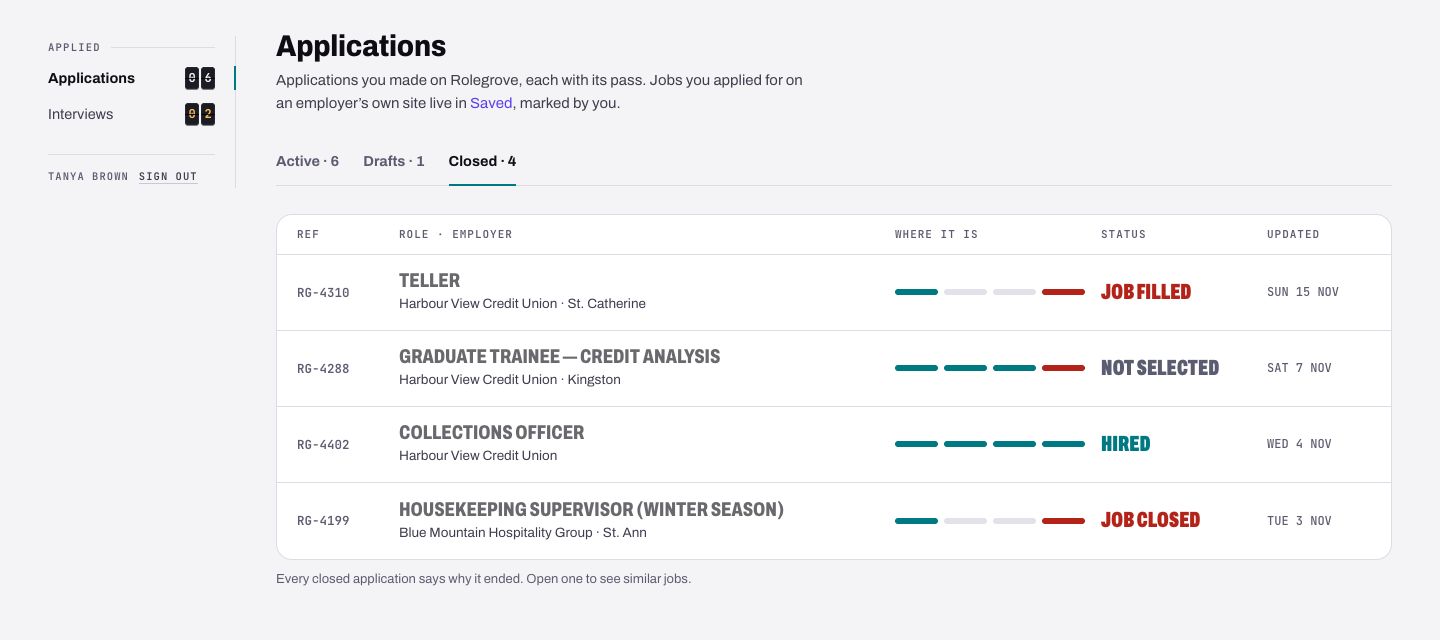
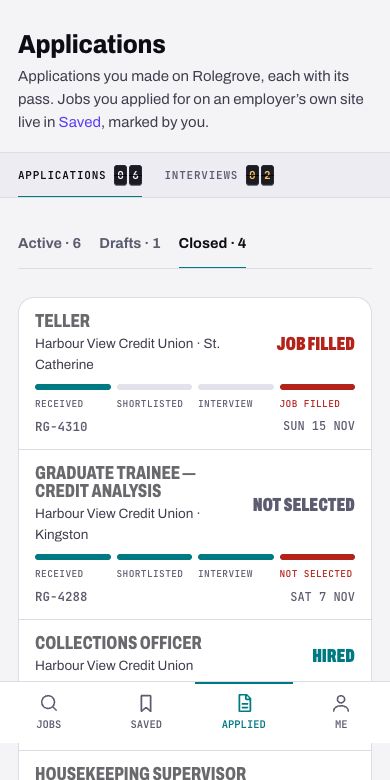
Short answerNot selected means the employer chose not to move you forward. Job filled and Job closed mean the job ended before a decision about you.
Steps
- Open Applications and press Closed.
- Open the application. The pass shows how far it got, then the closing word.
- Read the message from the employer, if they sent one.
- Use Similar jobs or the board to keep looking.
What each one means
- Not selected
- The employer decided not to continue. You get one short message, with a reason in plain words.
- Job filled
- The employer hired someone and closed the job.
- Job closed
- The employer stopped hiring for it, or it passed its closing date.
- Withdrawn
- You ended it yourself.
Good to know
- Each one arrives by email as well as on your pass.
- Jobs you saved show FILLED or CLOSED on their card too.
Did this help?
Tell us, so we can fix what doesn’t.